PPPoE

PPPoE is, how it works, and how to configure PPPoE settings on your router for a secure and stable internet connection with easy troubleshooting tips.
PPPoE is, how it works, and how to configure PPPoE settings on your router for a secure and stable internet connection with easy troubleshooting tips.
PPPoE stands for Point-to-Point Protocol over Ethernet. It is a network protocol commonly used by internet service providers (ISPs) to deliver broadband internet connections to homes and businesses. PPPoE combines the features of Ethernet and Point-to-Point Protocol (PPP) to create a secure and reliable internet connection.
Many DSL, fiber, and broadband internet services use PPPoE because it allows users to log in with a username and password before accessing the internet. This method helps internet providers manage user accounts, monitor usage, and provide secure authentication.
PPPoE creates a direct communication session between your router and the ISP server. When you enter your PPPoE username and password into the router settings, the router sends a request to the ISP for authentication. Once the login information is verified, the internet connection becomes active.
The PPPoE process usually works in these steps:
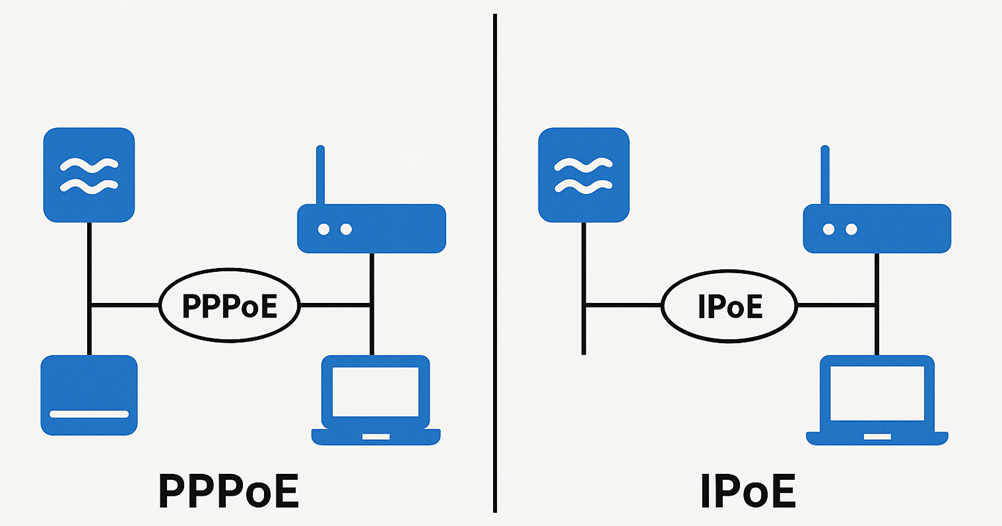
PPPoE offers several useful features that make it popular for broadband internet connections.
PPPoE requires a username and password, which helps prevent unauthorized access.
ISPs can manage customer accounts, billing, and internet packages more efficiently.
PPPoE creates a dedicated connection between the router and the ISP.
Most modern routers support PPPoE settings and configuration.
ISPs can monitor active internet sessions and manage bandwidth usage.
There are many benefits of using PPPoE for internet connectivity.
Since users must log in using credentials, PPPoE connections are more secure than open internet connections.
Internet service providers can easily control user accounts and internet plans.
PPPoE connections are usually stable and suitable for home and office use.
Many ISPs assign dynamic IP addresses through PPPoE connections.
PPPoE works well with DSL, fiber, and other broadband technologies.
Although PPPoE has many benefits, it also has some limitations.
The authentication process can add small overhead to network traffic.
Incorrect settings or ISP issues may disconnect the PPPoE session.
Users often need to manually enter PPPoE credentials in the router settings.
If the username or password is incorrect, the internet will not work.
To use a PPPoE connection, your ISP usually provides:
These credentials are required when setting up your router or modem. Without them, the router cannot establish an internet connection.
Setting up PPPoE is simple on most routers. Follow these steps carefully.
Connect your computer or smartphone to the router using WiFi or Ethernet.
Open a web browser and enter your router IP address such as:
Enter the router admin username and password.
Find the WAN or Internet Setup section.
Choose PPPoE as the internet connection type.
Type the PPPoE username and password provided by your ISP.
Click Save or Apply.
Restart the router to establish the connection.
After restarting, the internet connection should become active.
Sometimes users face PPPoE connection issues. Below are common problems and solutions.
Incorrect credentials prevent internet access.
Re-enter the correct PPPoE details provided by your ISP.
The router fails to connect to the ISP server.
Solution:
Restart the modem and router.
The PPPoE session may not establish properly.
Solution:
Check cables and verify ISP service availability.
Weak signals or ISP problems can cause connection drops.
Solution:
Update router firmware and contact the ISP if needed.
Some routers may have incorrect WAN settings.
Solution:
Reset the router and configure PPPoE again.
PPPoE is an important internet connection protocol that provides secure authentication and reliable broadband access. It is commonly used by ISPs for DSL and fiber internet services because it helps manage user accounts and maintain secure connections. By understanding how PPPoE works, users can easily configure routers, troubleshoot connection problems, and improve internet performance. Proper setup and security practices help ensure a stable and safe online experience for both home and office networks.